How to use this Guide
This guide is designed to provide assistance in planning and installing K2 blackpearl for the installer. The Setup Manager offers context sensitive help to this guide. K2 blackpearl reference and architectural information have been provided as well to assist the installer with planning and installing K2 blackpearl.
This help file includes the following types of topics to assist the installer with details that they require:
| Topic Types | |
|---|---|
| Planning | Architecture and component information to assist in the planning of the K2 blackpearl environment. |
| Installation and Configuration | Detailed information on installing and configuring K2 blackpearl, including prerequisites and step by step guides |
| Reference Topics | Reference and troubleshooting information for the K2 Setup Manager |
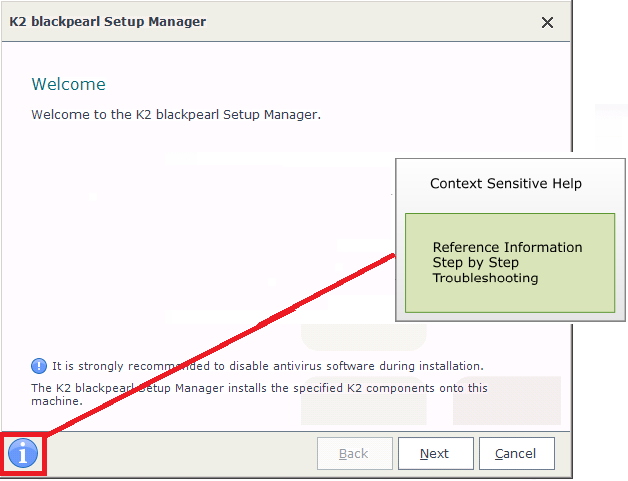
K2 I button
The I (Information) button is located on the lower left hand corner of the Setup Manager and the Configuration Manager. Clicking on the button will locate the relevant topic in the help file and launch the help for the installer to view and read.
Navigating the User Interface
The controls shown below are common controls displayed on the Setup and Configuration manager:

| Installation and Configuration Manager Controls | |
|---|---|
| Back | Indexes to a previous screen |
| Next | Indexes to the next screen |
| Finish | This control completes the wizard when configuration details have been captured initiating either the install or configuration process |
| Cancel | Cancels the wizard |
 |
Depending on the context, the controls described above may be either enabled or disabled. The information in this guide will help you navigate through the Setup and Configuration manager screens. |
